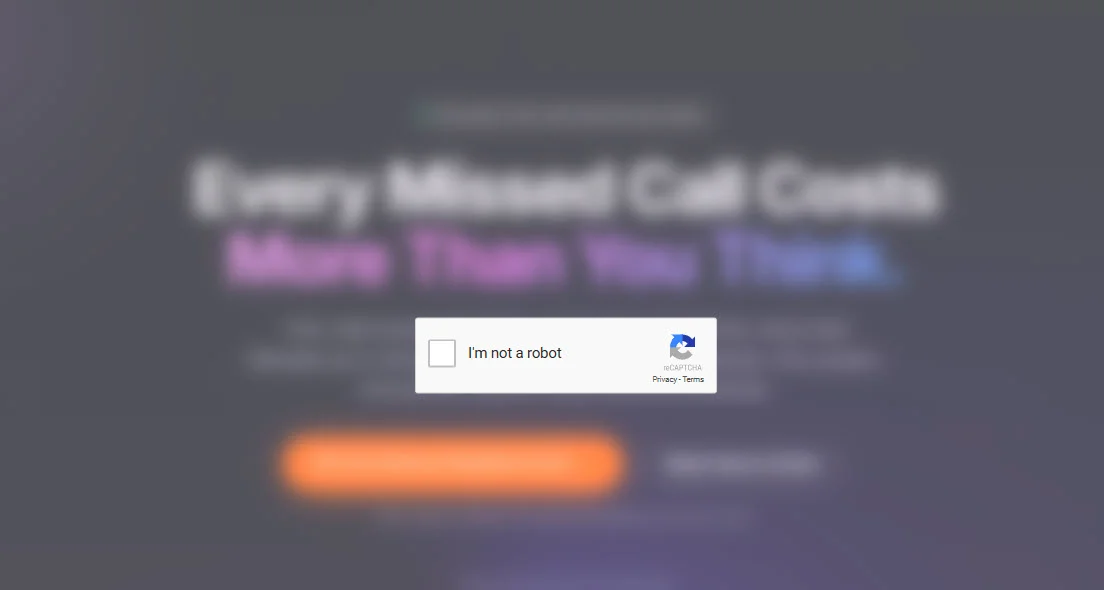
This week a visitor reported something that should never appear on one of our pages: a fake "verify you are human" box asking them to follow a set of on-screen instructions. That single report kicked off a fast investigation. Within hours we had traced the source, removed the malicious code, rotated every credential, and confirmed every page was clean. Here is what it was, and how to make sure it never costs you or your customers a dime.
We are sharing this openly for one reason. Most businesses that get hit by this kind of attack never find out until a customer complains, and by then real damage is done. The more owners who understand how these attacks work, the fewer victims the attackers get. So we are going to walk you through the whole thing in plain English, no jargon required.
What Happened on Our Network
A hidden script was being added to web pages as they were delivered to visitors. The important detail, and the reason attacks like this fool so many people, is that the malicious code was never in the website files themselves. The files on the server were completely clean. The code was being injected further down the delivery chain, at the network layer that sits between the server and the visitor.
That is why a normal file scan would have found nothing. The only way to catch it was to compare the clean version coming straight off the server with the version an ordinary visitor actually received in their browser. The two did not match. The visitor's version had an extra piece of code stitched into it.
Once we understood where the injection was happening, the response was fast and total. We removed the malicious component, deleted the access the attacker had created for themselves, changed passwords, turned on additional two-factor authentication, and reissued our own access with the narrowest possible permissions. Then we verified every affected page was clean from multiple devices and networks.
The outcome: The malicious code was removed within hours of appearing, every page was verified clean, and all credentials were rotated as a precaution. The attack was designed to trick individual visitors through a deception prompt, not to steal stored business or customer data.
What a Crypto-Drainer Actually Is
A crypto-drainer is malicious code with one goal: to trick a person into approving a transaction or running a command that empties their cryptocurrency wallet. It does not need to guess a password or break any encryption. It relies on getting the victim to click "approve" or paste a command themselves, believing they are doing something normal and safe.
The reason attackers plant these on legitimate websites is simple. If a stranger emails you a link, you are suspicious. But if the prompt appears on a website you already trust, a local business you were about to call, your guard is down. The attacker is borrowing your reputation to lower your customer's defenses.
Even if your business has nothing to do with cryptocurrency, this still matters to you. The attack rides on your website and your brand. When a customer gets burned on a page that carries your name, the trust damage lands on you, not the anonymous attacker.
How These Attacks Work
Modern injection attacks follow a predictable playbook. Understanding the five steps makes the warning signs much easier to spot.
They get into an account, not the files
The attacker gains access to something that controls how your site is delivered: a hosting panel, a domain registrar, a DNS provider, or a content delivery network. They often do this with a stolen access token or app password rather than your main login, which lets them slip past your password and even your two-factor code.
They inject a hidden script
Instead of editing your files, they add a small piece of code to pages as they are served. Your files stay clean, your backups stay clean, and everything looks normal from your side. The infected version only exists in what real visitors receive.
It fingerprints every visitor
The script checks who is looking. Is this a real person or an automated scanner? What device and operating system are they on? It stays completely dormant for security tools and researchers, and only activates for real, targetable visitors. This is why it can live on a site for hours while scanners report all clear.
It hides its real payload off-site
The visible code is just a loader. The dangerous part is pulled in from somewhere else at the moment of attack, sometimes from public infrastructure that is hard to take down. That means there is no single obvious malicious file sitting on your server for anyone to find and delete.
It springs the trap
Finally the visitor sees a convincing fake, usually a "verify you are human" box. It instructs them to copy a line of text, open a system window, and paste it, or to approve an on-screen prompt. Following those instructions is the moment the person is actually compromised. This deception step is known in the security world as ClickFix.
Why It Is So Hard to Catch
Three design choices make this style of attack especially sneaky, and each one defeats a common way people check their sites.
It defeats file scans. Because the code is injected during delivery and never written to your files, scanning your website files turns up nothing. Your site looks perfectly healthy from the inside.
It defeats casual checks. Because it fingerprints visitors and hides from automation, the owner testing their own site, especially from a familiar device, often sees nothing wrong. It shows its true face to strangers, not to you.
It defeats trust. Because the trap wears the mask of a routine "prove you are human" step, visitors who have been trained to click through captchas do exactly what they are told. Familiarity is the weapon.
The takeaway: If your only security habit is scanning your files, you can be fully infected and see a clean bill of health. The infection lives in what your visitors receive, so that is where you have to look.
Warning Signs Your Site Might Be Compromised
You will rarely get an alert. More often, the first clue is small and easy to dismiss. Take any of these seriously.
Red Flags to Watch For
- A customer mentions a "verify you are human" or captcha box on a page that should not have one.
- Any prompt telling visitors to copy and paste a command, or to press keyboard shortcuts, to continue.
- The site behaves differently on a customer's phone than it does on your office computer.
- A browser or antivirus warning appears on your domain, or your site gets flagged as unsafe.
- Visitors report unexpected redirects to pages you did not create.
- The source code you manage looks clean, but the live page does not match it.
- A new login, access token, or configuration change you do not recognize in your hosting, DNS, or CDN account.
How to Protect Your Website
You do not need to be a security engineer to shut most of these attacks down. You need to lock the doors attackers actually use. Here are the seven that matter most.
Secure every account that can change your site
It is not just your website login. Your hosting panel, domain registrar, DNS provider, and CDN can each alter what visitors receive. Put a strong, unique password and two-factor authentication on every one of them, not only the obvious one.
Audit your access tokens and app passwords
These are the skeleton keys attackers love, because they often bypass your password and two-factor entirely. Review the tokens and connected apps in each account. Delete anything you do not recognize, and limit the rest to the least access they need to do their job.
Turn on alerts for account changes
Most platforms can email or text you when a new login happens, a new token is created, or a setting changes. Enable these. An alert at the moment an attacker creates their access is the difference between hours of exposure and weeks of it.
Compare your live pages to your source
Once in a while, open your live site in a browser, view the page source, and confirm nothing extra has been added, especially near the very bottom of the page. Better still, check from a device and network you do not normally use, since some malware hides from familiar visitors.
Keep a clean off-site backup
Maintain a recent backup stored somewhere separate from your live site, and make sure you actually know how to restore it. A good backup turns a frightening incident into a routine cleanup.
Add a content monitoring layer
Reputable security services can watch the scripts running on your pages and alert you the moment an unfamiliar one appears. This is one of the few defenses that catches delivery-time injection, because it watches what visitors actually receive rather than what sits in your files.
Rotate credentials at the first hint of trouble
If anything looks off, assume any token or password involved is burned. Change passwords, revoke and reissue tokens, and re-enable two-factor. It is a small hassle compared to leaving a door propped open for an attacker who already knows where it is.
How to Protect Your Customers
Your customers are the real target, so give them the one rule that neutralizes this entire class of attack.
Tell them plainly: Our website will never ask you to copy and paste a command, run anything on your computer, or follow on-screen steps to "prove you are human." If any page ever asks you to do that, stop, close the tab, and let us know.
Beyond that one message, a few habits go a long way toward keeping the people who trust you safe:
- Give customers an easy way to report anything strange they see on your site, and thank them when they do.
- If something is reported, respond fast and be honest about it. Speed and transparency protect trust better than silence.
- Remind customers that a real verification step never asks them to leave the page and run commands elsewhere.
What to Do If You Are Hit
If you suspect your site is compromised, resist the urge to just start deleting things. A calm, ordered response gets you clean and keeps you clean. This is the exact sequence we followed.
- Find where the injection lives. Compare the clean version straight from your server against what a real visitor receives. If they differ, the injection is happening during delivery, not in your files, and that changes where you look.
- Kill it at the source. Remove the malicious component wherever it is actually running. Pausing or patching the symptom is not enough if the attacker still has access to put it right back.
- Revoke all access. Delete every access token and app password, change your passwords, and turn on two-factor authentication everywhere. Assume anything the attacker could have touched is compromised.
- Reissue narrow access. When you set your own access back up, grant only the minimum permissions each tool actually needs. Never restore a broad, do-everything key.
- Verify clean, then verify again. Confirm every affected page is clean from several devices and networks, not just your own computer.
- Report it and ask how they got in. Notify the platform's abuse team, and request the login history so you learn the real entry point and can close it for good.
Why We Caught This Fast
We caught this quickly because we watch the whole delivery chain, not just the pretty front end of a website. We know the difference between what a server sends and what a visitor receives, and we treat every account that can touch a site as something worth locking down, monitoring, and auditing.
That is the part most people never see. A great-looking website is only as safe as the infrastructure delivering it. When you treat security as plumbing rather than paint, you find the leak while it is still a trickle.
Your 5-Minute Security Self-Check
Run through this today. If you cannot confidently check every box, there is a door worth locking.
- Two-factor authentication is on for hosting, domain, DNS, and CDN, not just the website.
- I have reviewed my access tokens and app passwords and recognize every one.
- Alerts for new logins and account changes are turned on.
- I have a recent off-site backup and know how to restore it.
- I have viewed my live page source and confirmed nothing extra was added.
Want a second set of eyes on your site and the infrastructure behind it? Get a free audit →
